If you’ve been keeping an eye on Razer over the past few years you’ll have noticed a steady increase in new product releases, existing product refreshes, and partnerships with numerous companies across various industries to promote conservation and sustainability (I’m personally quite a fan of this one here). If you’re lucky, one of your favorite Razer products may have experienced a refresh as of late, bringing better features, better hardware, and of course, better RGB to an old classic.
The Razer Seiren microphone was one such product to get the refresh treatment, resulting in an overhauled V2 offering: the Seiren Mini, Seiren V2 X, and Seiren V2 Pro. My own Seiren X was getting a little long in the tooth, and when Razer dropped these beauties I figured now was as good a time as any to upgrade. Looking over the features I decided to also upgrade my tier: the Seiren X served me well, but the built-in noise suppression and dynamic mic of the Seiren V2 Pro was what I was really after.
Arrival
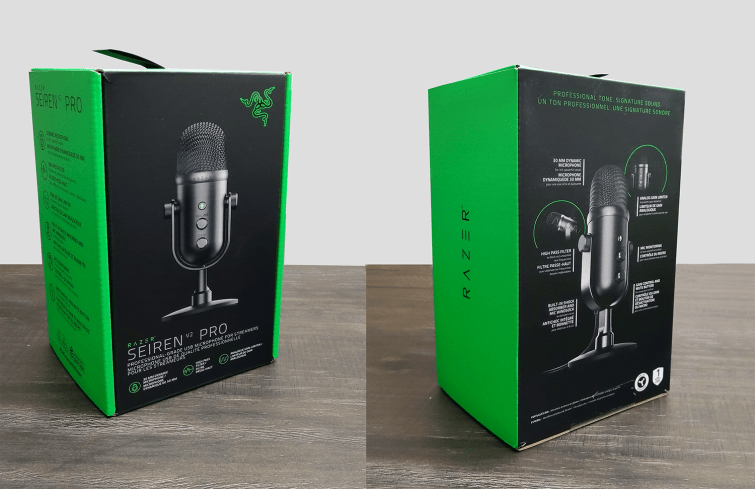
My old Seiren X was a renewed product and—while branded—the brown cardboard box left a lot to be desired, but I can gladly say the Seiren V2 Pro gave me the same great experience Razer’s delivered with their other products. The box was wrapped in white tissue paper for that little “white glove” touch, and once removed, the familiar green and black packaging looked clean and undamaged. Informative graphics were crisp and legible, with useful details called out.
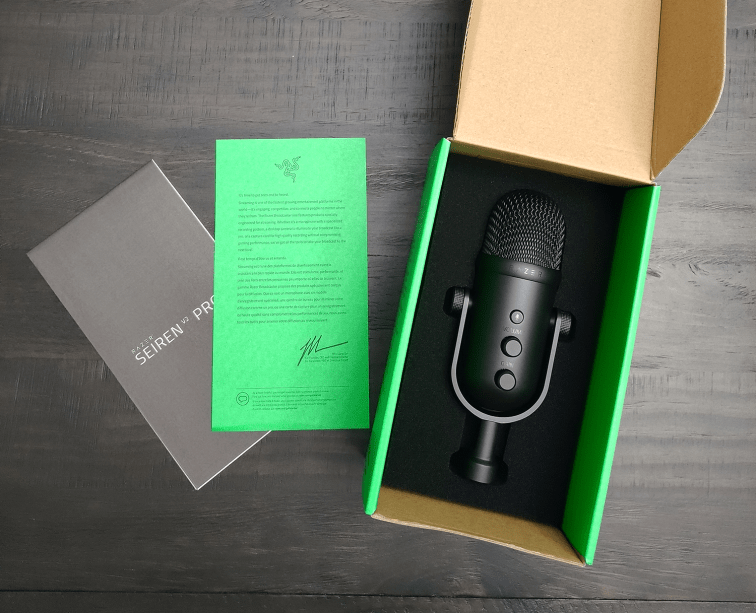
Opening the box, you get the usual CEO letter and manual placed on top of the product, with the Seiren nestled securely in a form-fitting foam. Removing the microphone and the foam insert revealed the wind screen and braided USB-C to USB-A cable, with the USB-C end sheathed in Razer’s usual, proprietary molding (preventing you from swapping in a generic cable without a little X-Acto knife magic).
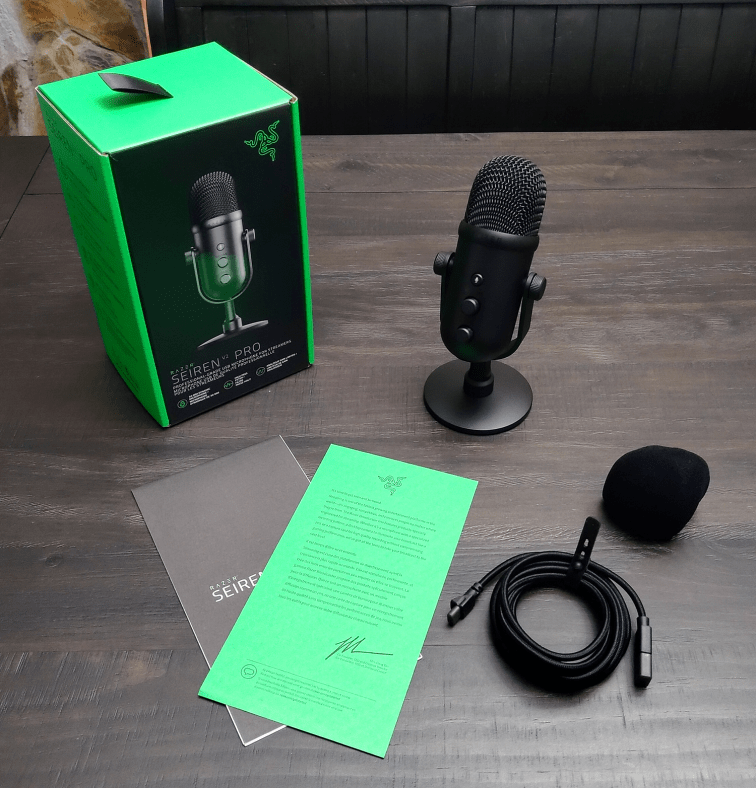
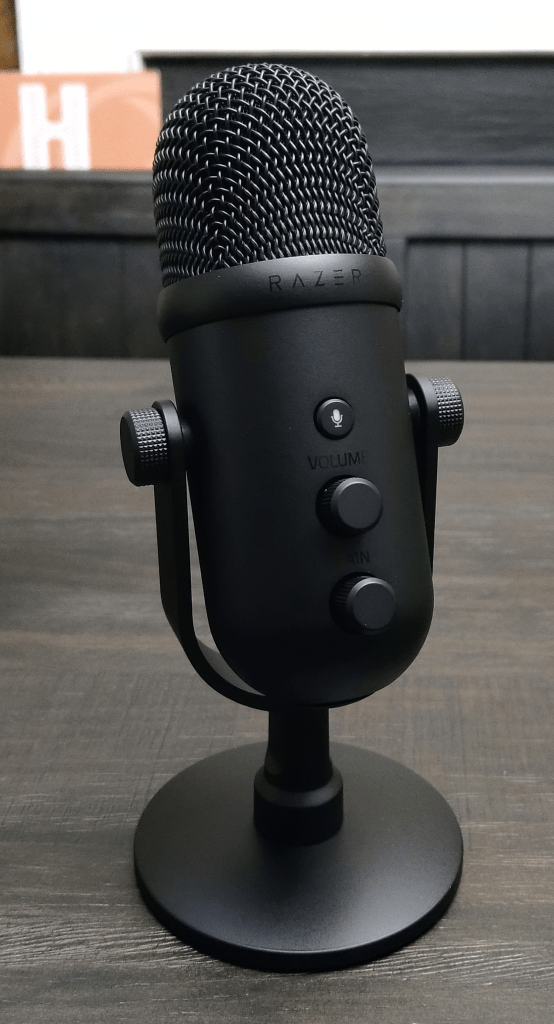
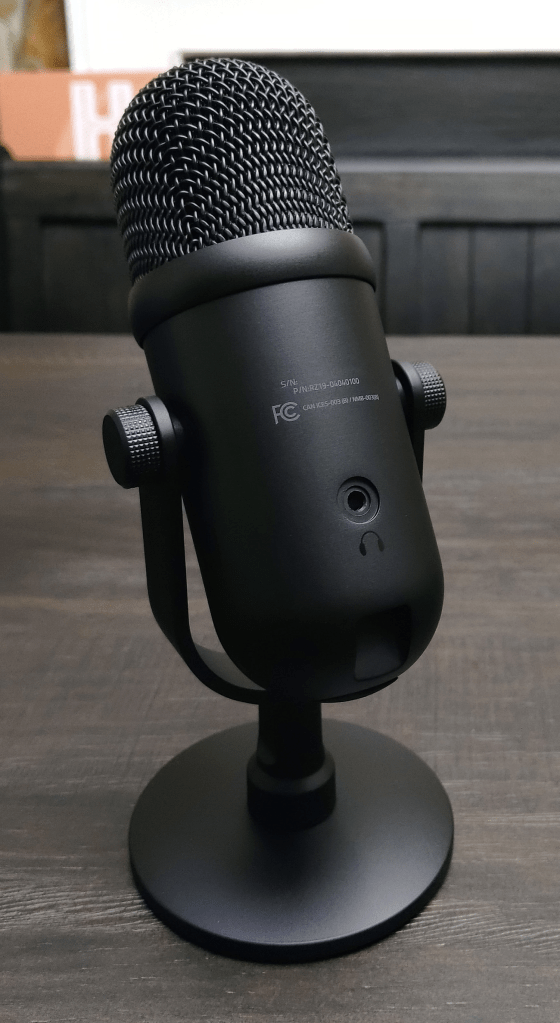
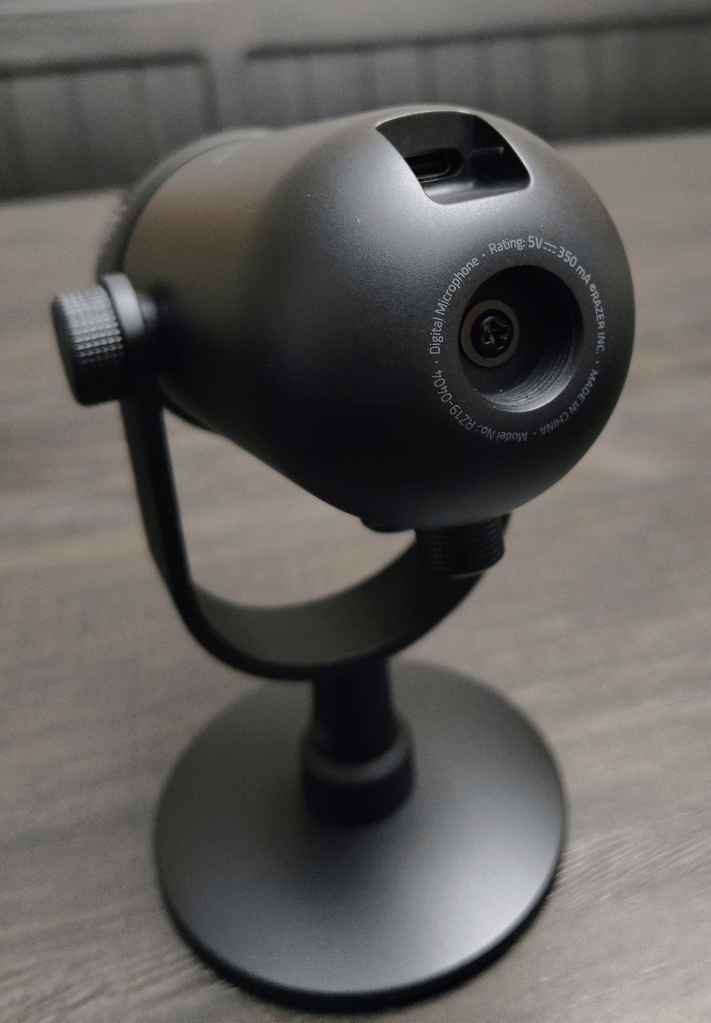
The Seiren V2 Pro itself feels very premium, with good weight, a clean finish, and smooth resistance on the volume and gain knobs and stand. The weighted base is heavy enough to keep the mic in place, but, being a top-address dynamic mic, you may want to get a boom arm to get it closer to your mouth. The 3.5mm monitoring jack makes a return for the V2 Pro, so if you want to use hardware monitoring instead of software you’ll plug your 3.5mm headphones into this. I personally use software, and since I mount the mic on a boom arm above my keyboard, a cable dangling on my hands during gaming is not something I desire.
Functionality
I’ve been using the Seiren V2 Pro for about 9 months now, and functionally I’m very happy with it. The mic sounds great and gives you that “broadcaster” sound that comes with using dynamic microphones. USB makes it really easy to set up, and Windows recognized it as a microphone input right away (pulling down an archived Razer driver from Windows Update). As with most Razer products plugging the Seiren V2 Pro into a PC prompts the installation of their Razer Central suite, which I did on a Razer-free machine just to verify and experience. The Razer Central installer will load up and give you the option to install Synapse and Cortex, the former being required to use the microphone’s various features and mixer.
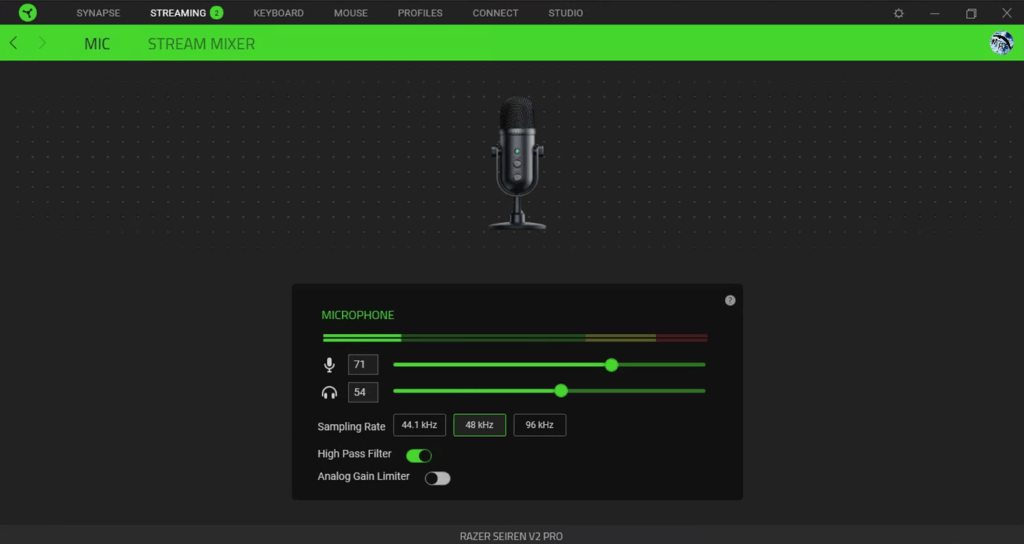
While simple, the settings page in Synapse is very intuitive, giving you a live readout of the microphone’s input, the gain on the mic, the volume of the monitoring port, single-click sampling rate changes, and two toggles: one for the built-in high-pass filter and one for the analog gain limiter. There isn’t a library of filters or extra settings to tweak to get your mic sounding exactly how you like, but Synapse isn’t a recording/broadcasting suite so I believe Razer’s intent is that you would have additional software that could do this better anyway. I personally find that using the high-pass filter lets me get away with less aggressive filters in Streamlabs, but I leave Synapse’s gain limiter off and relegate that to Streamlabs. While the Seiren V2 Pro can sample as high as 96kHz I keep mine at the happy medium of 48kHz for a few reasons, primarily PC horsepower and content (voice-only).
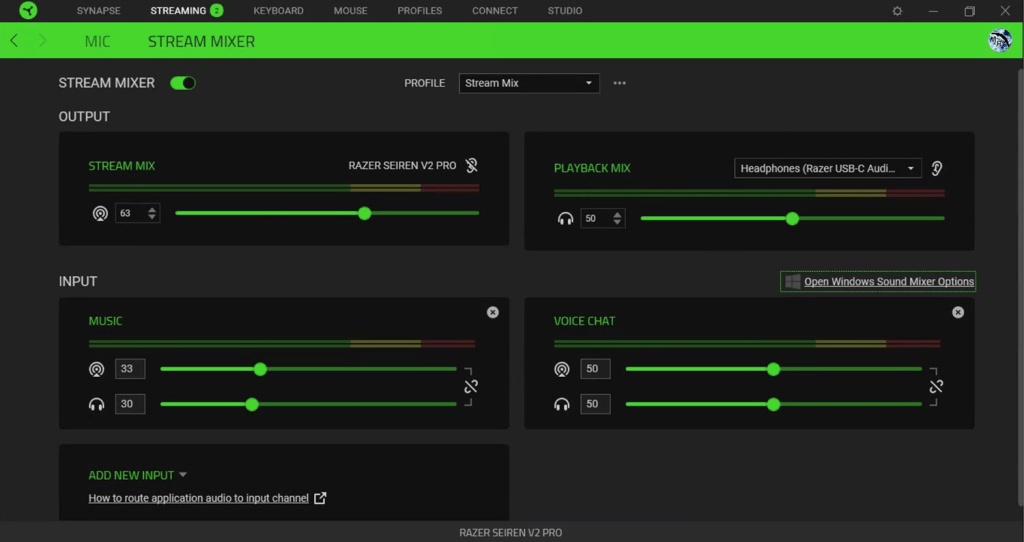
The Seiren V2 Pro was the first Razer broadcaster device I owned that came with the mixer feature in Synapse (they’ve since released two new product categories that include it), and I’ve accepted it as one of the two mixers I use for streaming. I have a two-PC setup—sending all game audio to the streaming PC via OBS and NDI—and the streaming PC handles Discord, music, Streamlabs overlays and broadcasting. Synapse mixes Discord, music, browser sounds, etc., and pumps that into Streamlabs as a “Stream Mix” source where Streamlabs finally mixes in game audio and mic input. I had been toying around with the idea of using Voicemeeter for audio input/output management but the Synapse Mixer was able to swing in and pick up the slack, albeit with some headache as I figured out how to manage it. There are some quirks, but overall it meets my needs and provides a solid platform for mixing my audio streams. And because Synapse creates unique audio outputs my PC Panel can grab each of them by input instead of by application, tying all of my audio streams to manual knobs without the need of an expensive hardware mixer.
Final Thoughts
Bang for buck, the Seiren V2 Pro is a reasonable option if you’re aiming to fill a niche role: a dynamic USB microphone. USB condenser mics are a dime a dozen, and while you can spend more for higher quality you’re not going to break the bank getting a decent one for your streaming setup, or audio recording booth. XLR dynamic mics come in a wide variety, and there are plenty of comparable price to the Seiren V2 Pro that can outclass it in spades (though you’ll need some sort of XLR mixer with a USB uplink or a portable XLR to USB connection to make it accessible to your PC). If you’re looking for a simple USB-based mic with excellent quality and no pre-amp needed, the Seiren V2 Pro is a solid choice.
Ease of use is key here, as the aforementioned “simple” interface in Synapse would leave a lot to be desired for higher-end USB mic users, and the USB interface renders any sort of professional XLR mixer moot. While priced as a premium product, this microphone is targeted at the mid-range user who wants a quality mic they can easily hook up to their desktop or laptop and get rolling right away. Not to say that there’s no room for the Seiren V2 Pro in a professional setting, just that the interface a professional environment is built around may not be compatible (XLR vs USB).
Overall, I would recommend the Seiren V2 Pro to other people in my same use-case: that of a budding streamer. If you can pick up a cheap XLR mixer early on, adding a comparable dynamic mic to your setup would put you at about the same level of investment as getting one of these mics by itself, and offer you a clearer upgrade path as you progress. I debated going full XLR when I was looking to upgrade my Seiren X but something drew me to the V2 Pro, and and I’m just as happy with it today as I was when I bought it. It’s a clean, quality, clear-sounding microphone that will most likely have a permanent residence on my mic stand for years to come.
 The Chasm
Leave a comment